 Download the beta
WIN
Windows
Best first target for capture cards, OBS preview, PS Remote Play, Xbox Remote Play, and desktop notifications.
Download for WindowsGGSight reads visible gamer tags from your screen, waits for multiple OCR frames, verifies public sources, and only notifies you when the match has real signal. It is not a browser-only scanner.
Verified profile + Twitch + Fortnite evidence
The current build is a source-style desktop beta with install scripts. Signed Windows/macOS/Linux installers can replace these bundles once the scanner is proven.
Best first target for capture cards, OBS preview, PS Remote Play, Xbox Remote Play, and desktop notifications.
Download for WindowsFor screenshot testing, OCR validation, and future desktop capture-zone support on Mac.
Download for macOSFor Linux desktop testing, labeled dataset work, scanner validation, and OCR tuning.
Download for LinuxChoose visible regions like lobby lists, bus-driver feeds, kill feeds, scoreboards, spectating banners, or capture-card windows.
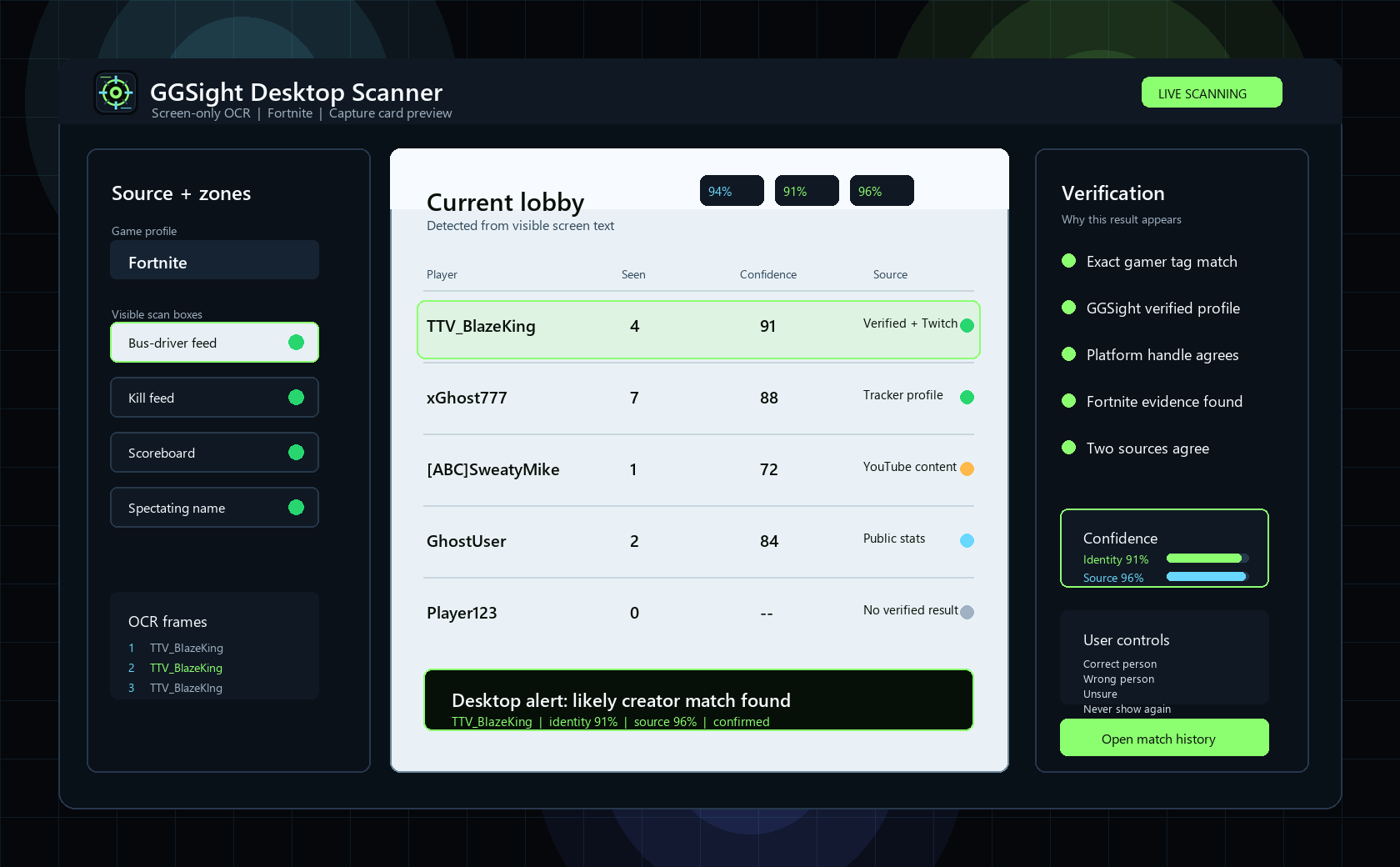
The app compares multiple frames before lookup so one blurry read does not become a wrong alert.
GGSight checks verified profiles, public creator accounts, tracker-style sources where supported, and matching game evidence.
Alerts appear for creators, verified profiles, public tracker matches, repeat encounters, marked players, or confidence thresholds.
The desktop window shows source zones, live detections, verification evidence, user correction controls, and the notification result in one readable scanner dashboard.
GGSight does not read game memory, inspect packets, inject overlays, automate gameplay, modify game files, bypass streamer mode, reveal hidden lobby data, or interact with anti-cheat systems.